 QDev
QDevDrive the tree
without the mouse.
The tree view has a full navigation grammar: arrows walk and drill, ⌥-arrows jump by structure, and typing a key's name seeks straight to it. Click once in the tree (or Tab to it) so it has focus, and everything below works.
The key matrix
Each tile below acts its keystroke out on a small document, on a loop. The pattern to internalize: plain arrows move one step, ⌥ makes the same arrow jump by structure — parent, child, sibling — and ⌘ makes it act on the whole subtree.
Walk the visible rows one at a time; stepping past the last wraps back to the first.
Opens a folded node and lands on its first item; on a value it moves along. Held down, it keeps drilling deeper.
Closes the node you're in and walks back out the way → came, one level at a time.
Jump straight to the parent, or dive onto the first child. Pure movement — nothing folds.
Hop between same-level siblings, leaping over however much is expanded in between. Cycles at the ends.
Expand or collapse everything under the selected node in one stroke.
Jump to the first or last visible row (⌘↑ and ⌘↓ do the same).
Leap a viewport at a time — the fast way across a long array.
Just type. The cursor jumps to the next row whose key starts with what you've typed, wrapping past the end; the buffer resets after a short pause.
Pop the hover preview — an object's fields, or a chart for a series — without touching the mouse. Any move dismisses it.
Open or close the selected node; the cursor stays put.
Seek, in detail
Seek is the biggest time-saver in wide objects, so it's worth knowing exactly how it matches. Typing hunts forwardthrough the visible rows — wrapping past the end — for the next key that starts with everything you've typed, case-insensitively. Array rows match on their index, so typing 1 4 inside an array lands on [14]. Pause for about a second and the buffer resets; keys pressed with ⌘ or ⌥ held are commands, never seeks. Seek only scans rows that are currently visible — drill into a folded subtree first, then type.
Practice: Key golf
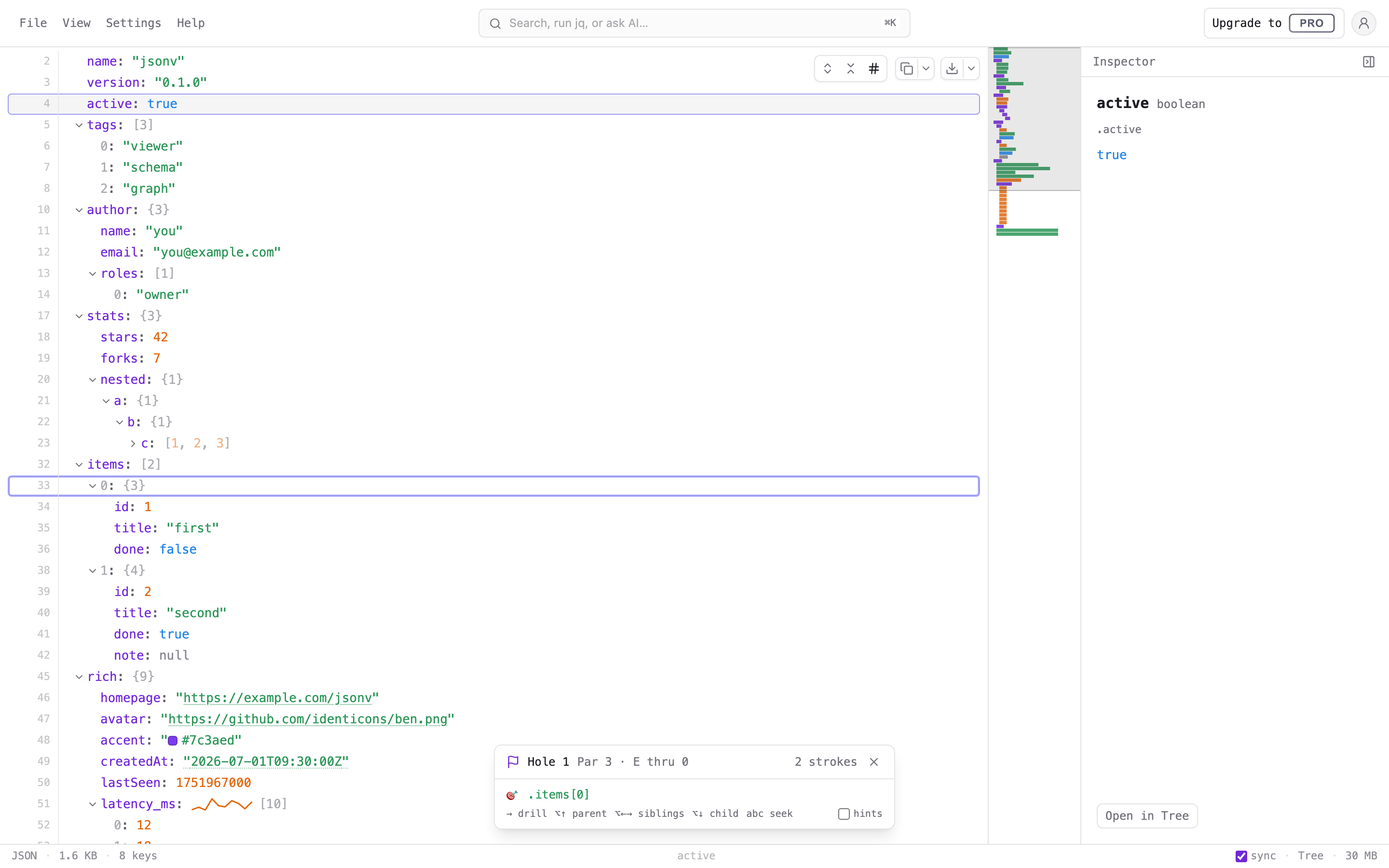
The grammar sticks fastest when you play it. Open Help → Key golf and QDev deals a hole: a target path somewhere in your document, and a par — the fewest keystrokes that can reach it. Every arrow, seek character, and Entercounts as a stroke; reaching for the mouse costs three. Land on the target and you're scored in golf terms — birdie, par, bogey — with a running total for the round.
Matching par usually takes a structural jump or a seek — that's the point. If you're stuck, tick hintsin the game's panel and it shows the next keystroke of the best route, recomputed as you move. Key golf isn't available on very large streamed files, where parts of the document load on demand.
For app-wide shortcuts — the ⌘ K bar, saving, view switching — see the shortcut table on the overview, and the Views guide for ⌘1–⌘6.