 QDev
QDevThe JSON viewer
that answers back.
Open any JSON, YAML, or TOON file and get a virtualized tree, an inferred schema, and a graph. Then hit ⌘K and ask in plain English — jq is written from your schema and run locally on the full file.
- ✓Your data never leaves the tab — only schema + question
- ✓Virtualized jq engine — smooth on multi-MB documents
- ✓Free for personal use · local AI free · Pro unlocks hosted AI
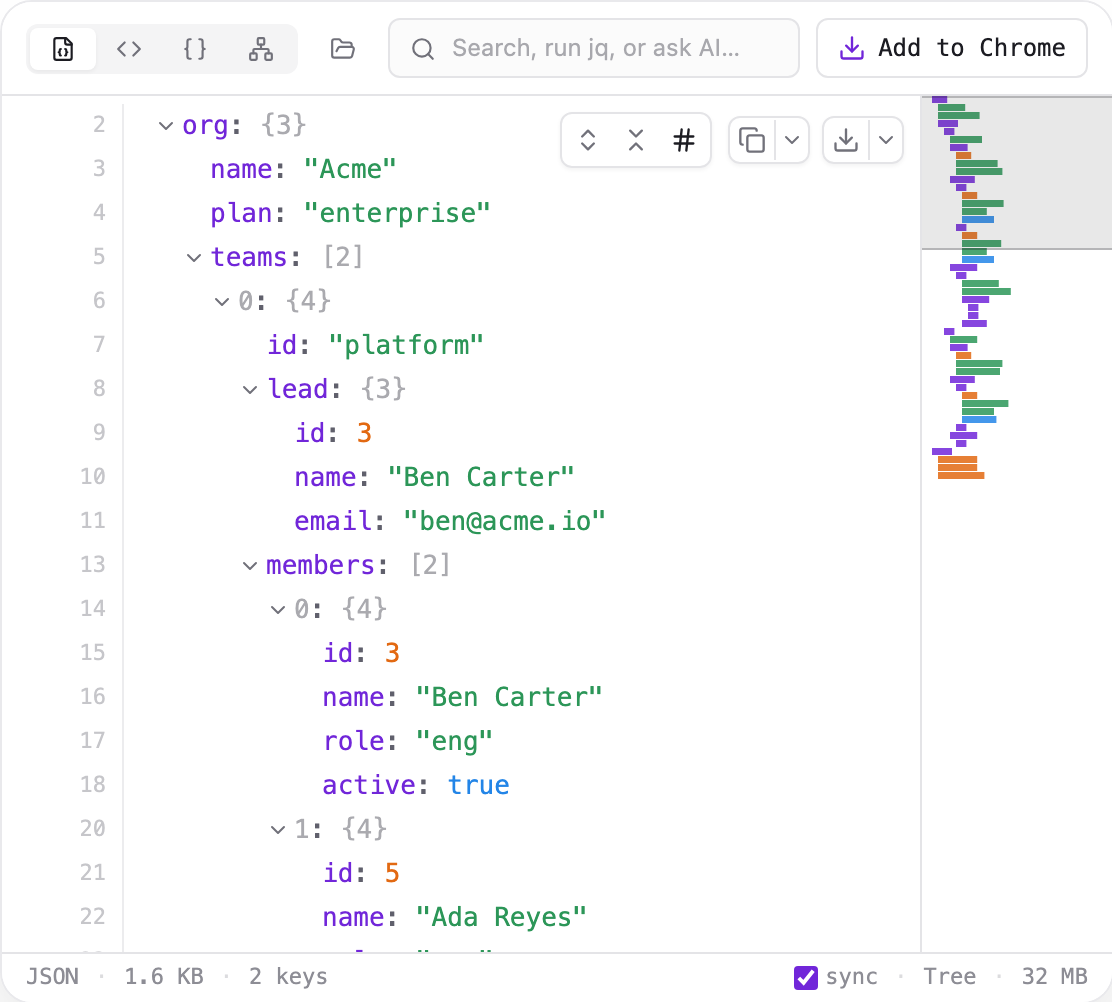
Everything through ⌘K
The same bar fuzzy-searches, runs raw jq, or takes a plain-English question. Start typing — it figures out which you meant.
Fuzzy search
searchJump to any key or value as you type — matches light up across the tree, schema, and graph at once.
Raw jq
jqWrite a jq filter and run it over the whole file — the result opens in its own view.
Plain English
askAsk in plain words — QDev reads your schema, writes the jq, and runs it locally on the full file.
See your data every way
JSON, YAML, or TOON — the same ⌘K bar opens a tree, an inferred schema, and a graph, so you can switch how you look without leaving the tab.
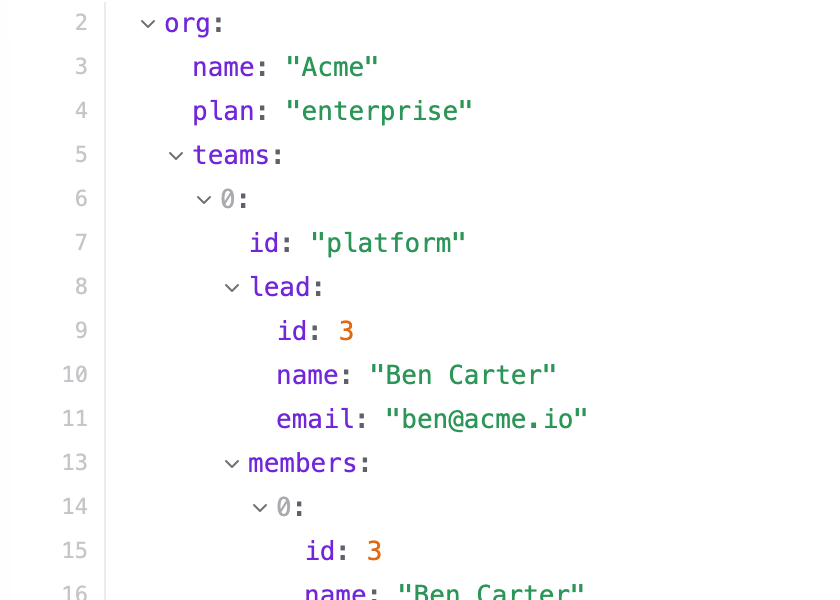
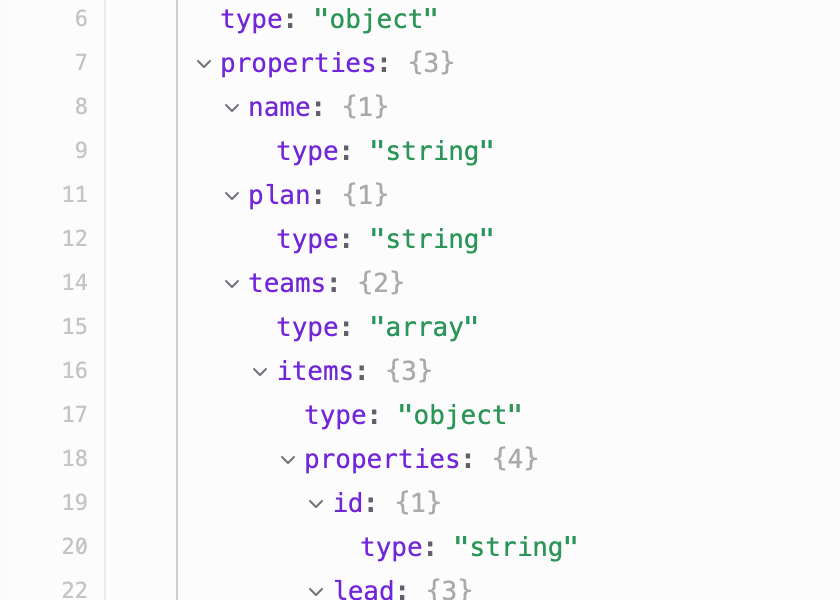
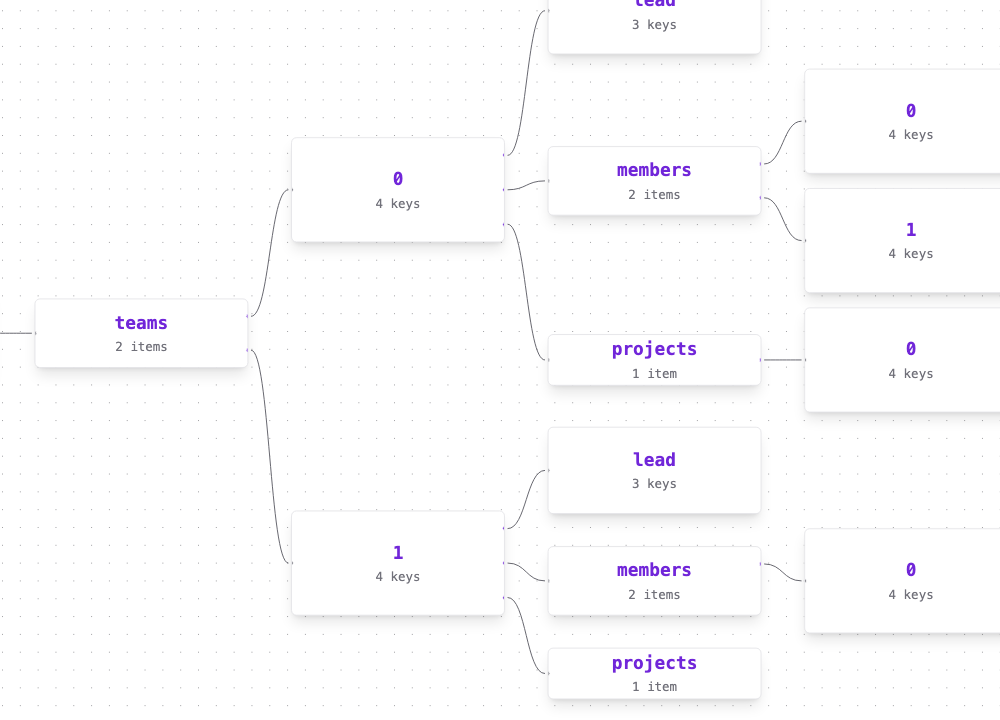
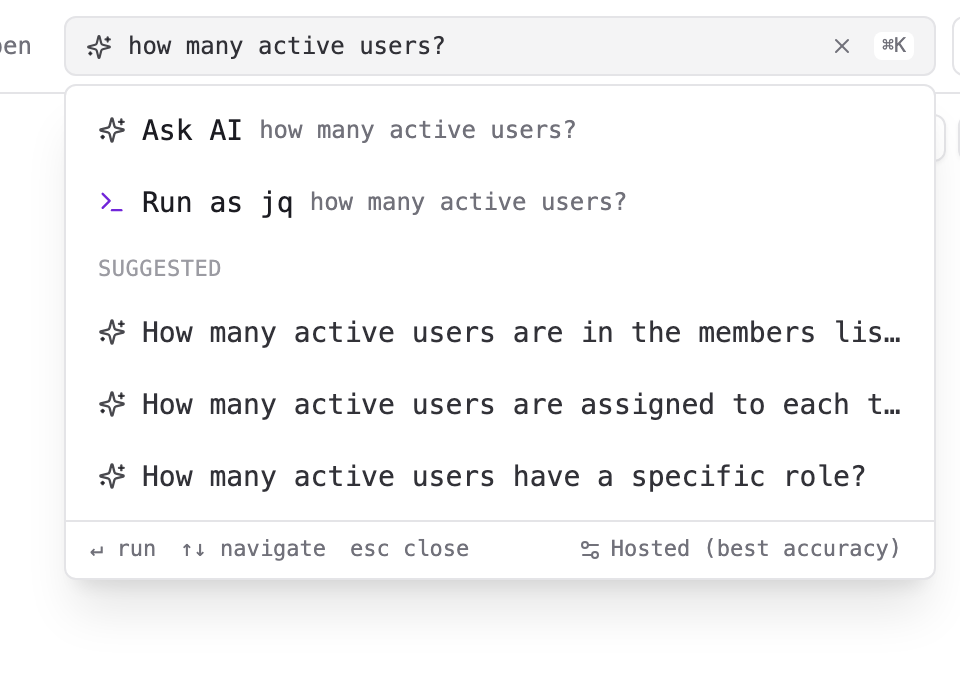
Ask in words. Get an exact answer.
No query language to learn, and your file never leaves the tab. Three steps:
AI queries that never upload your data.
With hosted AI, only the schema and your question reach our server — it keeps no copy and logs nothing. Prefer that nothing leaves at all? Run local AI, free, entirely on your device.
- →The inferred schema — field names & types
- →Your natural-language question
- →Nothing else — no values, no samples, ever
- ✓Your actual values — every string and number
- ✓The full document, at any size
- ✓With local AI: even the schema stays — zero egress
Free forever. Pro when you want it.
The full viewer + jq, plus local AI (WebLLM / Ollama / Chrome) — on-device, account-free, zero egress.
Hosted AI — best jq accuracy, no download, no GPU, identical on both browsers. Unlimited queries.
See full pricingInstall free, keep your data local, and let ⌘K write the jq. Upgrade to hosted AI whenever you want.